Why Won’t My Keurig Work? I Fixed Mine in 10 Minutes (And You Can Too)
Keurig not working again? Trust me, I’ve been there more times than I’d care to admit.
Nothing ruins a Monday morning quite like pressing that brew button and getting absolutely nothing in return. Your coffee maker just sits there, mocking your caffeine-deprived soul.
I’ve owned three different Keurig models over the past eight years, and let me tell you something – they all have their quirky little breakdowns. But here’s the thing: most Keurig problems are actually pretty simple fixes once you know what you’re looking for.
Last month, my K-Elite decided to give me the silent treatment right before a big presentation. Ten minutes and a few simple steps later, it was purring like a caffeinated kitten again.

The Power Play: Is Your Keurig Actually Getting Juice?
Before you start panicking about expensive repairs, let’s check the obvious stuff first.
I know, I know – you’re not an idiot. But you’d be shocked how many times I’ve troubleshot a “broken” Keurig only to find it wasn’t properly plugged in.
Here’s what to check:
- Power outlet functionality – plug in your phone charger or another device
- Power cord connection – make sure it’s snug at both ends
- Power button response – does anything light up when you press it?
If your machine is completely dead, you might be dealing with a resettable fuse issue. This little thermal fuse is like a safety guard that trips when things get too hot inside your machine.
It usually happens when water isn’t flowing properly through the system, causing the heating element to overheat. Unfortunately, accessing this fuse requires some disassembly, so you’ll want to contact Keurig support or dig into your user manual for model-specific instructions.

The Magic Reset That Fixes 70% of Keurig Problems
This power cycle trick has saved my bacon more times than I can count. It’s like giving your Keurig a fresh cup of digital coffee.
Here’s my foolproof power cycle process:
- Unplug the machine completely from the wall
- Remove the water reservoir (yes, take it completely off)
- Wait at least 10 minutes – I usually make myself some tea while waiting
- Plug it back in with the reservoir still removed
- Press the power button
- Replace the reservoir only when you see the “add water” indicator
This reset clears out any electronic hiccups that might be confusing your machine’s brain. I’ve fixed everything from brewing issues to display problems using this simple sequence.

When Your Keurig Starts Acting Like a Clogged Drain
Clogged needles are probably the most common reason your Keurig stops brewing properly. Think of these needles like tiny straws – when they get blocked, nothing flows.
I learned this the hard way when my morning coffee started coming out as a sad, pathetic trickle.
Here’s how to clear those needles:
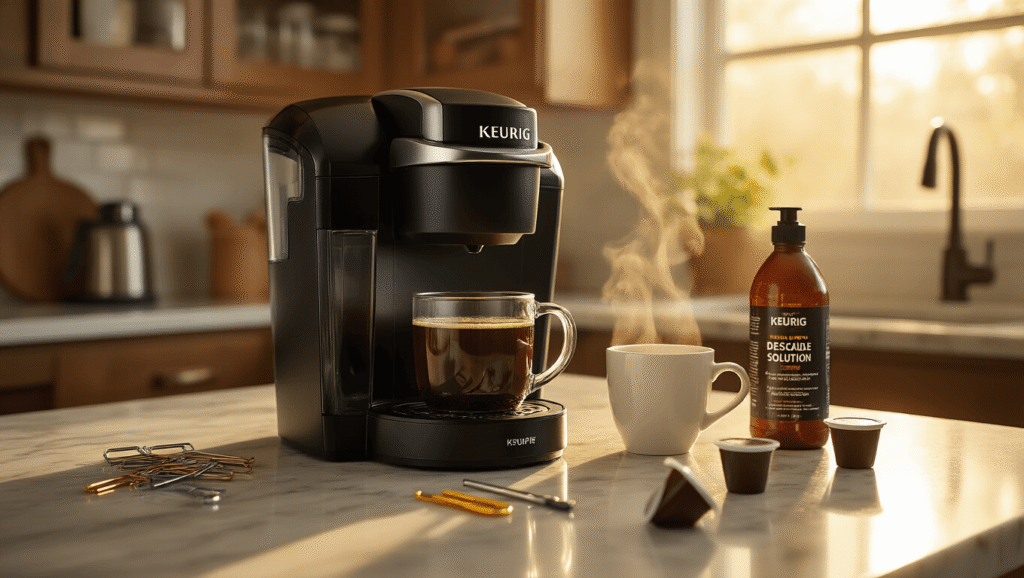
- Grab a plastic paper clip (never use metal)
- Gently push through the top needle where the K-Cup sits
- Clear the bottom needle the same way
- Rinse the brew basket under hot water
- Check that all the tiny holes are clear of coffee grounds
Pro tip: I keep a dedicated needle cleaning tool right next to my Keurig. Keurig actually makes one specifically for this purpose, and it’s way easier than fumbling around with paper clips.

The Mid-Brew Shutdown Mystery (And How I Solved It)
Nothing’s more frustrating than watching your Keurig start brewing, then just… stop. Like it suddenly decided it was done with life.
This usually happens because of pressure buildup inside the K-Cup. The machine detects something’s wrong and shuts down to protect itself.
Here’s my weird but effective workaround:
- Remove the K-Cup from the machine
- Press it into the bottom needle by hand (gently!)
- Rotate the K-Cup 90 degrees
- Press it down again to create a second puncture
- Close the lid and try brewing again
This double-puncture method reduces internal pressure and often gets things flowing again. I discovered this trick during a particularly stubborn morning when my favorite dark roast K-Cups kept causing shutdowns.

The Bubble Trouble You Can’t See
Air bubbles in your Keurig’s internal tubing can cause all sorts of weird behaviors. Your machine might sound like it’s working but produce no coffee, or it might make gurgling noises like a dying fish.
Here’s how to deal with invisible air bubbles:
- Remove the water reservoir completely
- Gently tap all sides of the machine for about 30 seconds
- Listen for any sloshing sounds – that’s trapped air moving around
- Replace the reservoir and try a test brew
Also check your K-Cup seal integrity:
- Look for holes or tears in the foil top
- Make sure no coffee grounds are stuck to the edges
- Verify the cup sits properly in the holder
Sometimes a damaged K-Cup can create pressure issues that confuse the machine’s sensors.
The Mineral Buildup That’s Slowly Killing Your Keurig
Descaling isn’t just a suggestion – it’s life support for your machine. I used to ignore those descaling reminders until my Keurig
This post may contain affiliate links. Please see my disclosure policy for details.